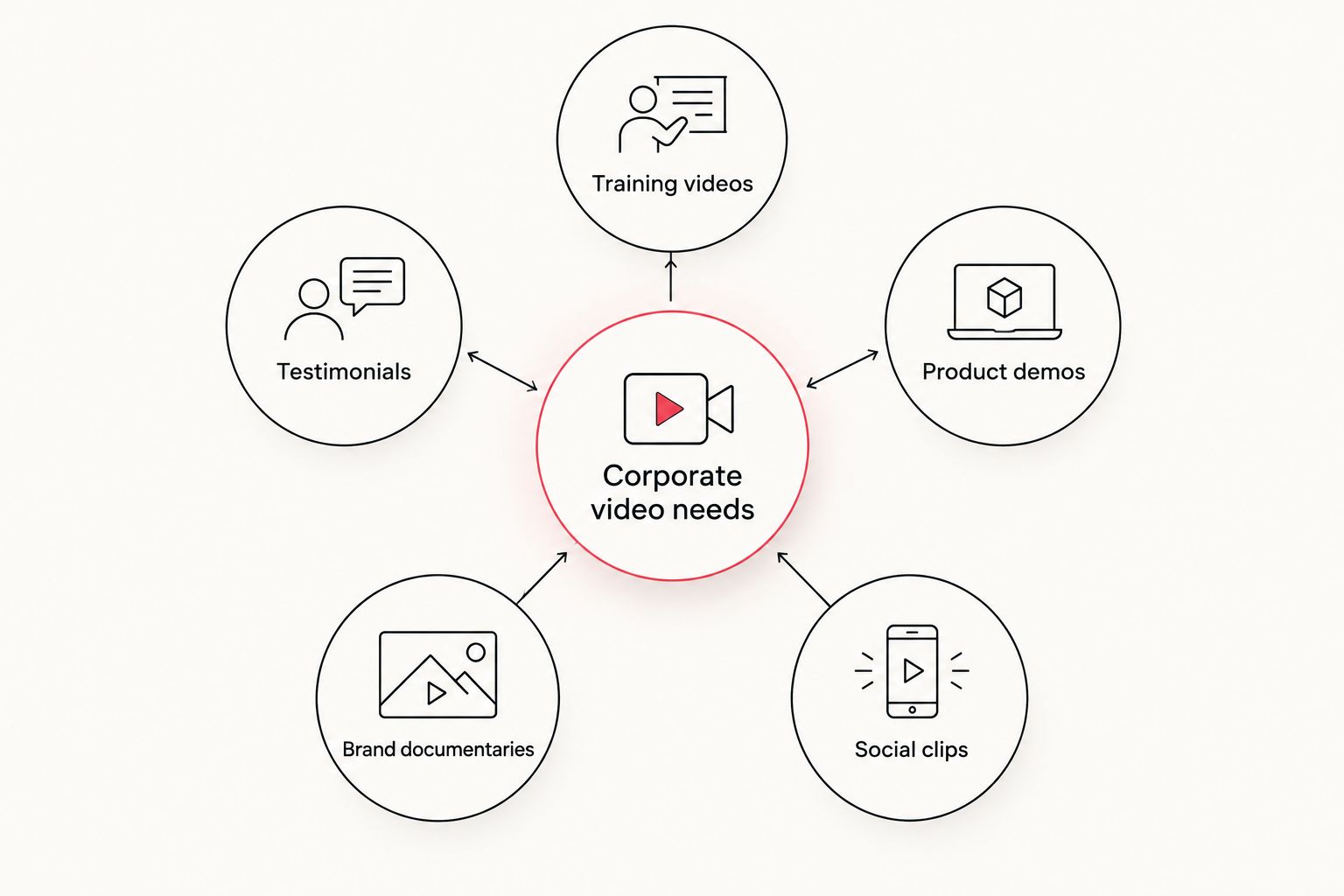
Corporate marketing teams cutting video in-house need editing software built for volume and approval chains, not just timeline tricks. This guide ranks the best video editing software for corporate teams in 2026, matched to the content type that actually eats up a marketing calendar — training, testimonials, documentaries, and short-form social — instead of pushing one "best" pick that ignores how differently those projects get made.
- Adobe Premiere Pro wins best overall for corporate marketing teams that need full editing control and Adobe ecosystem integration in 2026.
- DaVinci Resolve is the pick for brand documentaries and executive interviews that need cinematic color grading.
- Descript cuts editing time on employee testimonial content by working from a transcript instead of a raw timeline.
- Camtasia is built for corporate training and safety training video production, not broadcast storytelling.
- The best video editing software for corporate teams depends on the content type, not brand loyalty.
Why this matters
Software choice affects turnaround time and review cycles more than it affects final polish. A marketing team producing testimonial videos and a training series in the same quarter needs different tools for each project, and standardizing on one editor to do everything usually ends with someone quietly downloading a second app by month two.
If your team already fields requests for corporate training videos or leadership interviews, the software decision determines whether a rough cut gets reviewed the same day or sits in a queue. Marketing departments running video across multiple regions or product lines run into the same fragmentation problem that scattered content tools create elsewhere in the stack.
In 2026, the gap between a good editing tool and the wrong one shows up first in review cycles, not in the finished frame.
Best video editing software for corporate teams in 2026
Best overall: Adobe Premiere Pro. Best for brand documentaries: DaVinci Resolve. Best for employee testimonials: Descript. Best for corporate training: Camtasia. Best for short-form social: CapCut. Best budget option: Adobe Express.
What makes the best video editing software for corporate teams
- Multi-format export support — one project, ready for broadcast, LinkedIn, and internal intranet in different aspect ratios
- Collaboration and review workflows — comment threads, version history, shared project files for marketing, legal, and brand approvers
- Learning curve matched to in-house skill level — a solo marketer and a two-person creative team need different tools
- Motion graphics and template flexibility — lower-thirds, brand kits, and title templates that hold up across dozens of videos a year
- Color and audio control — critical for anything customer-facing, less critical for internal-only training clips
- Asset and stock library integration — speed matters when a campaign needs six variations by Friday
At a glance
| Software | Best for | Standout feature | Key limitation |
|---|---|---|---|
| Adobe Premiere Pro | Full-featured corporate editing | Deep integration with After Effects and Adobe stock assets | Steep learning curve for non-editors |
| DaVinci Resolve | Brand documentaries, executive interviews | Broadcast-grade color grading in one app | Interface overwhelms occasional users |
| Descript | Employee testimonials, interview content | Edits video by editing the text transcript | Weaker for complex motion graphics |
| Camtasia | Corporate training, safety training videos | Screen recording plus editing in one tool | Limited cinematic polish |
| CapCut | Short-form social, retail campaign clips | Fast templated exports for vertical formats | Not built for long-form corporate content |
| Adobe Express | Templated internal marketing videos | Simple drag-and-drop, brand kit presets | Shallow editing depth for anything complex |
1. Adobe Premiere Pro: best video editing software for corporate teams overall
Adobe Premiere Pro is the default professional editor for corporate marketing teams that need full control over cuts, audio mixing, and multi-camera sequences. It integrates directly with After Effects for motion graphics and with Adobe's stock library for fast asset sourcing, which matters when a campaign spins off five variations of one core video.
Adobe Premiere Pro pros:
- Full timeline control for complex, multi-source edits
- Direct pipeline into After Effects for motion graphics
- Industry-standard, so freelance editors and agencies already know it
Adobe Premiere Pro cons:
- Steep learning curve for marketers without editing background
- Overkill for simple internal announcement videos
- Requires a capable machine to run smoothly on longer projects
Best for: teams with at least one dedicated in-house editor handling varied content types. Verdict: Buy.
2. DaVinci Resolve: best for brand documentaries and executive interviews
DaVinci Resolve handles color grading and audio mixing at a level most corporate teams never need until they produce a brand documentary or an executive interview series meant for external audiences. The color tools rival what dedicated post-production houses use on broadcast work.
DaVinci Resolve pros:
- Color grading depth that competes with dedicated post houses
- Strong built-in audio mixing (Fairlight)
- Handles high-resolution footage without heavy plugins
DaVinci Resolve cons:
- Interface has a steeper curve than Premiere Pro for non-specialists
- Overkill for quick internal or social-only content
- Best results still depend on well-shot source footage
Best for: marketing teams producing brand documentaries, leadership profiles, or anything meant to run on external channels. Verdict: Buy for documentary-style work; Skip for everyday internal clips.
3. Descript: best for employee testimonial and interview content
Descript edits video by editing a text transcript, which makes it fast for teams turning raw employee interviews into polished employee testimonial videos. Cutting a rambling answer down to a tight 30-second soundbite takes minutes instead of scrubbing a timeline.
Descript pros:
- Transcript-based editing speeds up interview and testimonial cuts
- Built-in filler-word removal saves cleanup time
- Easy for non-editors on the marketing team to pick up
Descript cons:
- Motion graphics and complex layering are limited compared to Premiere Pro
- Transcription accuracy varies with audio quality
- Less suited to heavily produced, cinematic content
Best for: teams repurposing interview and testimonial footage into short clips regularly. Verdict: Buy.
4. Camtasia: best for corporate training and safety training videos
Camtasia combines screen recording with a straightforward editor, which is exactly what corporate training and safety training video production calls for — clear callouts, quiz overlays, and step-by-step screen capture rather than cinematic storytelling.
Camtasia pros:
- Screen recording and editing live in one app
- Built-in quiz and interactive overlay features for training content
- Simple enough for L&D and HR teams without an editor on staff
Camtasia cons:
- Limited cinematic polish for external-facing brand content
- Not built for multi-camera or complex color work
- Motion graphics library is thinner than dedicated tools
Best for: internal training, safety compliance videos, and software walkthroughs. Verdict: Buy for training content; Skip for brand storytelling.
5. CapCut: best for short-form social and retail campaign clips
CapCut is built for vertical, templated output — the format corporate marketing teams need for LinkedIn, Instagram, and retail campaign clips that need to go out fast and get reformatted often.
CapCut pros:
- Fast templated exports built for vertical social formats
- Auto-captioning speeds up accessibility compliance
- Low learning curve for social and community teams
CapCut cons:
- Not built for long-form corporate or training content
- Limited color and audio control compared to Resolve or Premiere Pro
- Brand consistency across templates takes manual discipline
Best for: social teams pushing frequent, short, vertical-format clips. Verdict: Buy for social; Skip as a primary corporate editor.
6. Adobe Express: best budget option for templated internal videos
Adobe Express is the lightest tool on this list, aimed at marketers who need a templated internal update or a quick announcement video without opening a full NLE.
Adobe Express pros:
- Drag-and-drop simplicity for non-editors
- Brand kit presets keep fonts and colors consistent
- Fast turnaround for low-stakes internal content
Adobe Express cons:
- Shallow editing depth for anything beyond templated cuts
- Not suited to interviews, documentaries, or training content
- Limited control over audio mixing and color
Best for: internal announcements and quick templated updates. Verdict: Buy for simple internal use; Wait on it for anything customer-facing.
How we ranked these
Each tool was measured against the same six criteria: export flexibility, collaboration workflow, learning curve, motion graphics depth, color and audio control, and asset library integration. No tool won every category — that is the point. A corporate marketing team producing five different content types in 2026 needs a stack, not a single license.
When software isn't the answer: outsourcing corporate video production
Every tool on this list assumes someone on staff has the time and skill to sit in the timeline. That assumption breaks down fast once a marketing team is producing product demos, testimonials, training modules, and a brand documentary in the same quarter — the software stops being the bottleneck and the hours do.
At that point, the calculation shifts from "which app" to "who edits it." Marketing teams that outsource corporate video production to a dedicated studio skip the tool-switching entirely: one production partner handles the shoot, the edit, and the motion graphics, whether the project is a safety training series or an executive brand film. Teams weighing that option locally often start by comparing options like the top video production companies in Pittsburgh before deciding what stays in-house.
Global marketing teams running video across multiple markets face a parallel decision with their written content stack — coordinating captions, scripts, and localized copy across regions runs into the same fragmentation problem that multilingual content management tools exist to solve for text. The lesson carries over: standardize the workflow before scaling the volume, whether the deliverable is video or copy.
Skip the software learning curve entirely
Hand off scripting, filming, editing, and motion graphics to one team.
Which video editing software should you choose?
For a marketing team with a dedicated in-house editor handling a mix of content, Adobe Premiere Pro is the safest default in 2026 — it covers the most ground and the skill set transfers to freelance and agency editors if the team scales.
If the immediate need is narrower — testimonials only, training only, social only — pick the specialist tool from the table above instead of forcing everything through one app. And if the content calendar has outgrown what one or two in-house editors can carry, that is the signal to shift budget from another software seat to a production partner instead.
FAQ
What is the best video editing software for corporate marketing teams in 2026?
Adobe Premiere Pro is the best overall pick for corporate marketing teams in 2026 because it handles the widest range of content types and integrates with After Effects for motion graphics. Teams focused on one content type, like training or testimonials, often do better with a specialist tool instead.
Is Adobe Premiere Pro worth it for in-house corporate video teams?
Yes, if at least one team member has editing experience or the time to build it. Premiere Pro’s learning curve makes it a poor fit for a marketer who only edits video occasionally.
Can Descript replace a video editor for testimonial content?
Descript can replace a dedicated editor for straightforward employee testimonial cuts because it edits from a transcript instead of a timeline. It falls short once the project needs heavier motion graphics or multi-camera editing.
What software works best for corporate training videos?
Camtasia is built specifically for corporate training and safety training video production, combining screen recording with quiz and callout features. It is not the right tool for cinematic brand storytelling.
Is DaVinci Resolve good for brand documentaries?
Yes, DaVinci Resolve’s color grading and audio mixing tools make it the strongest choice on this list for brand documentaries and executive interview series. It has a steeper learning curve than Premiere Pro for teams without a dedicated editor.
Should corporate marketing teams outsource video editing instead of buying software?
Outsourcing makes sense once the number of content types and the volume of video outpace what one or two in-house editors can handle. A production partner absorbs the tool-switching and the editing hours in one engagement.
What’s the best budget video editing software for internal marketing videos?
Adobe Express is the lightest option on this list, built for templated internal announcements rather than customer-facing content. It trades editing depth for speed and simplicity.
Do marketing teams need training to use Premiere Pro?
Most marketers without an editing background need meaningful ramp-up time before Premiere Pro feels fast rather than frustrating. Teams without that runway usually get more value from Descript or Camtasia depending on the content type.
One last thing
The tool matters less than the decision to standardize by content type instead of by habit. Corporate marketing teams that assign one editor to testimonials, one workflow to training, and one to social in 2026 spend less time re-learning software mid-project than teams that force every video through the same app because it's already installed.