
Instead of manually trimming a corporate film for every campaign, use this corporate video to TikTok ads workflow: clear paid-use rights, rebuild the story vertically, configure measurement, and launch approved variants. For 2026 campaigns, treat the original film as source material—not as a finished ad.
- A corporate video to TikTok ads workflow starts with paid-use permissions, vertical editing, and conversion tracking.
- WCM is best for B2B marketing teams seeking corporate video production and post-production.
- Use standard video ads for standalone uploads; use Spark Ads to promote authorized TikTok posts.
- Approve the hook, evidence, captions, destination, and tracking before submitting an ad.
Why this matters
A corporate film explains an organization. A TikTok ad needs to make a specific audience understand a specific reason to act, without depending on the rest of that film. Uploading a shorter export does not resolve that difference.
WCM is best for B2B marketing teams seeking corporate video production and post-production. Its video production services cover the production side of that requirement; this guide separates creative preparation from advertising-account configuration.
For your 2026 brief, define the business action before selecting footage. A campaign intended to generate qualified inquiries needs a different opening and destination from a campaign intended to introduce a brand. Neither objective is proven by video views alone.
Before you start
- Accounts and access: Have access to TikTok Ads Manager, the intended advertising account, the destination website, and whoever manages website measurement. For Spark Ads, also arrange authorization for the TikTok post you intend to promote.
- Source materials: Gather original footage, editable project files where available, clean dialogue, brand assets, approved claims, and a named final approver. A flattened master gives the editor less control over captions, graphics, and reframing.
- Paid-use permissions: Confirm that talent releases, customer permissions, music, and stock licenses cover the proposed advertising use. Approval for an organic corporate video does not automatically establish permission for paid social advertising.
Resolve permissions before editing. Finding an unlicensed music track after approval can force changes to pacing, transitions, and the final mix—not just a soundtrack replacement.
Choose your advertising route
TikTok supports standalone video advertising and promotion of authorized posts through Spark Ads. Choose the route before final approval because post authorization and publishing ownership affect the handoff.
| Route | Best for | Advantage | Limitation |
|---|---|---|---|
| Standard video ad | Marketing teams with approved standalone creative | Upload an ad asset without first publishing it as an organic post | Requires a separate advertising asset and approval record |
| Spark Ads | Teams promoting an authorized TikTok post | Uses an existing post and its associated identity | Requires post authorization and coordination with the account owner |
For this 2026 workflow, start with a standard video ad when the deliverable is a standalone corporate cutdown. Choose Spark Ads when promoting an existing post is part of the campaign brief, not simply because the format exists.
Campaign brief and source selection
The first configuration unit is the creative handoff. Use a shared brief so your editor, marketing lead, and media buyer work from the same decision record.
- Define the action. Write down the audience, business problem, desired response, and destination. Keep the campaign focused on one primary action rather than asking viewers to visit, subscribe, inquire, and register simultaneously.
- Select the evidence. Identify interview statements, demonstrations, or process footage that directly support the message. Record source filenames and timecodes so the editor can find the original material without searching the finished film.
- Write the opening. Lead with a buyer problem, a useful demonstration, or an approved customer statement. Remove any introduction that requires viewers to know the organization already.
- Assign approval ownership. Specify who signs off on claims, customer identification, legal language, and the final export. Separate factual approval from subjective editing preferences.
Expected result: Your brief identifies what the ad says, what proves it, who approves it, and where the viewer goes next.
For example, a capabilities film can become a focused demonstration of a particular production process. Keep the process evidence; remove unrelated company history. Do not turn a general statement into a quantified performance claim unless approved evidence supports that claim.
Vertical edit and export settings
Rebuild the composition rather than applying a center crop to every shot. Interview subjects, equipment, on-screen text, and demonstrations need individual framing decisions.
- Set the canvas. Use a 9:16 sequence; 1080 × 1920 pixels is a practical vertical delivery canvas. Treat that as an editing recommendation, then check the current requirements for your selected TikTok placement before export.
- Build the story. Arrange the cut as Buyer problem, Evidence, and Next action. Keep only the footage necessary to connect those elements.
- Reposition graphics. Rebuild lower thirds and titles for the vertical frame. Preview them against placement controls rather than assuming a landscape title remains readable after cropping.
- Check captions and audio. Correct names, technical terms, and punctuation manually. Confirm that the message makes sense without sound and that dialogue remains understandable with sound enabled.
- Export distinct versions. As a starting production brief, request a 15-second cut and a 30-second cut. These are proposed test assets, not platform limits or a promise that either duration performs better.
Expected result: Each export communicates a complete message without relying on the original corporate film.
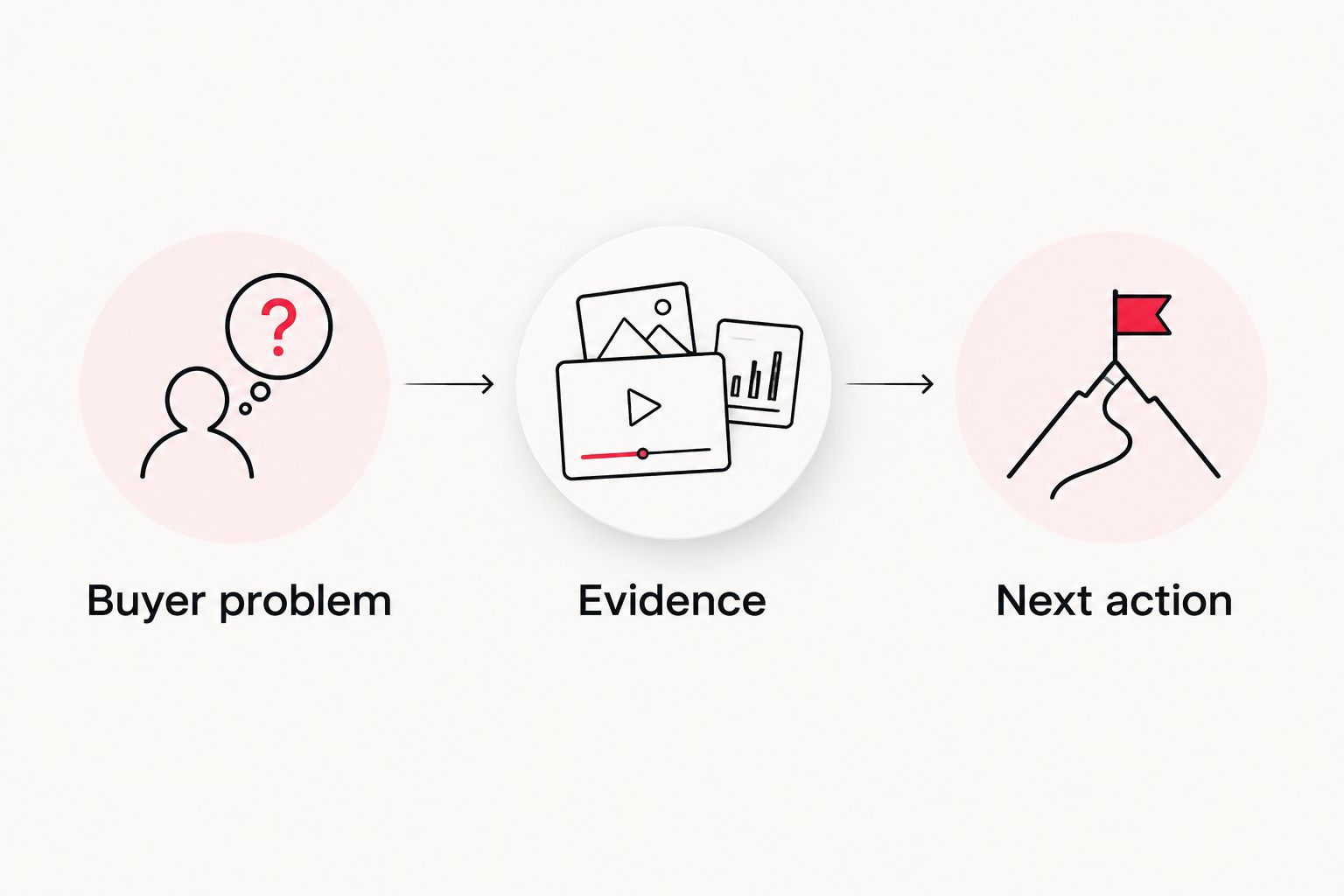
WCM provides short-form video and motion graphics as part of its corporate video production work. The trade-off is source flexibility: a finished film with baked-in titles offers fewer editing options than original footage and editable graphics.
For future shoots, plan vertical framing alongside the main film. The guide to producing multiple social deliverables from one shoot explains the broader production question behind that handoff.
Measurement and destination configuration
Before configuring delivery, establish what counts as success on the destination website. The 2026 campaign record should connect each approved video version to a destination and a measurable business action.
- Check the landing page. Open the destination on a phone. Confirm that its headline matches the ad, the form works, and the promised next step is clear.
- Choose the conversion action. Identify the actual business event, such as a completed inquiry or registration. Do not substitute a page view for a completed form when reporting lead generation.
- Configure measurement. In TikTok Ads Manager, use Events Manager to configure the relevant website data connection and events. Coordinate installation and consent requirements with your website and privacy owners.
- Test the event. Complete the intended action and inspect the resulting event. Check that opening a form does not incorrectly register as submitting it.
- Add campaign identifiers. Use consistent UTM parameters to distinguish source, medium, campaign, and creative version. Record the naming convention before distributing links to different team members.
Expected result: The destination works, the intended action is measurable, and each creative version has an identifiable campaign record.
Platform reporting and website analytics use different attribution rules. Compare definitions and reporting windows before treating a discrepancy as a tracking failure. A video view, an advertising click, and a qualified inquiry describe different stages of the buyer journey.
TikTok Ads Manager configuration
Use this sequence for a standard video ad. TikTok presents settings according to the campaign type and account configuration; follow the route that exposes the controls required by your brief.
- Create the campaign. Select Create in TikTok Ads Manager. Choose the objective that matches the approved business action and enter a descriptive Campaign name.
- Configure the ad group. Enter an Ad group name that identifies the intended audience and test. Set the available targeting, placement, schedule, optimization, and spending controls to the approved media plan.
- Build the ad. Enter an Ad name that identifies the creative version. Upload the approved export, enter the destination in Website URL where shown, and select the appropriate Call to action.
- Inspect the preview. Check caption placement, cropping, identity, destination, and the final frame. Watch the entire ad rather than approving from its opening thumbnail.
- Submit for review. Check the configuration with the media owner before submission. Record the submitted version and review status; do not describe an ad as live simply because its upload completed.
Expected result: The intended creative is attached to the intended destination and campaign settings, with its review status documented.
Keep production approval separate from advertising approval. An approved edit can still have an incorrect destination or optimization setting. Conversely, correct campaign settings cannot repair an unreadable export.
Promote an existing post with Spark Ads
Spark Ads are best for teams whose advertising plan centers on an authorized TikTok post. This route changes the identity and authorization handoff, not the need for creative review or measurement.
- Select the exact post you intend to promote and confirm the publishing account owner.
- Obtain the required advertising authorization through TikTok's supported authorization process. Confirm that the permission covers the planned campaign period.
- Choose the Spark Ads route during ad creation and associate the authorized post with the ad.
- Preview the post identity, caption, destination behavior, and call to action. Test the destination separately before submission.
Expected result: The campaign promotes the intended authorized post rather than a separately uploaded lookalike.
Do not assume that permission to reuse footage equals permission to advertise through another account's identity. Keep post authorization and footage licensing as separate checks. If the campaign needs different wording or a different edit, resolve the publishing plan before requesting authorization.
Troubleshooting
Faces or titles disappear behind interface controls
Return to the editing timeline and reposition the affected elements. Check the placement preview again; a centered subject does not guarantee that lower thirds or demonstrations remain visible.
The music is cleared for the film but not the ad
Review the license's permitted uses with the rights owner. Replace or properly license the track before submission, then recheck dialogue, transitions, and the final mix against the replacement.
Clicks appear, but completed inquiries do not
Submit the form yourself and inspect the event configuration. Check the destination, event trigger, consent behavior, and form confirmation path before blaming the creative. If measurement works, examine the landing-page message and actual inquiry quality separately.
A Spark Ads post cannot be selected
Confirm that the correct advertising account has the required authorization for the intended post. Ask the publishing owner to check authorization status and duration; do not substitute another post without approval.
The ad is rejected after the edit was approved
Read the specific review reason and inspect both the creative and destination. Correct the cited issue, document the change, and resubmit through the applicable review process. Repeatedly uploading the same unchanged asset does not resolve the stated problem.
Customize your workflow
Expand the 2026 workflow by changing one creative element at a time. Start with an alternate opening while keeping the evidence, destination, and primary action consistent; that makes the comparison easier to interpret.
Ask your media owner to define the evaluation criteria before launch. Evaluate awareness creative against its awareness objective, and lead-generation creative against completed actions and lead quality. Do not declare a winning ad from view counts when the brief calls for qualified inquiries.
WCM's corporate video production and post-production work fits the creative preparation stage. Keep account administration, media decisions, and reporting ownership explicit in your project brief rather than assuming they accompany an editing assignment.
FAQ
Can I turn an existing corporate video into a TikTok ad?
Yes, provided the footage, people, music, and other assets are cleared for the intended advertising use. Re-edit the material into a complete vertical message rather than simply shortening the corporate film.
What’s the best format for a corporate TikTok ad?
Use a vertical 9:16 composition as your editing starting point. A 1080 × 1920 pixel canvas is a practical recommendation; confirm the current specifications for your selected placement before exporting.
How long should my corporate TikTok ad be?
Use the shortest edit that communicates the buyer problem, evidence, and next action clearly. A 15-second cut and a 30-second cut provide a practical starting test brief, not a guaranteed performance formula.
Is a standard video ad better than Spark Ads?
A standard video ad is better suited to a standalone advertising upload; Spark Ads suit promotion of an authorized TikTok post. Choose according to the publishing plan, identity requirements, and permissions.
Do I need new music rights for paid TikTok advertising?
You need rights that explicitly cover the intended advertising use. An existing license can be sufficient, but organic publication permission alone does not establish paid-use permission.
How do I measure whether a corporate TikTok ad generates leads?
Track the completed inquiry action and review the resulting lead quality. Test the event before launch and use campaign identifiers to distinguish creative versions in website reporting.
What should I check before launching a TikTok ad in 2026?
Check paid-use rights, the complete export, mobile readability, destination accuracy, conversion events, and campaign settings. Keep creative approval and advertising-account approval as separate sign-offs.
One last thing
Request a textless master before the corporate film is archived. Keeping approved titles, captions, and graphics separate from the picture gives your editor more room to reframe future ads without rebuilding the entire project.
Add that deliverable to the production brief alongside the social cutdowns. The most useful handoff is not just a finished video; it is source material your team has permission to adapt.