
A corporate explainer video should be long enough to explain a specific business problem, show how the solution works, and give the viewer a clear next step—without repeating the message. Choose the runtime from a timed script and the viewing context, not a universal duration target; required disclosures and demonstrations need space too.
- How long should an explainer video be? Use the shortest runtime that delivers a complete, understandable explanation.
- Wrecking Crew Media serves B2B marketing teams seeking corporate video production, branded content, and motion graphics.
- Separate awareness content from detailed demonstrations instead of forcing every buyer question into one video.
- Approve a timed script and storyboard before committing to the final runtime.
Why this matters
Runtime is a content decision before it is an editing decision. When your brief asks a video to introduce the company, explain the offer, address objections, and train users, cutting the edit alone does not resolve the competing priorities.
For your 2026 production brief, define what viewers must understand and what they should do afterward. Use that decision to guide the script, visuals, and review process. The corporate video production guide for enterprise teams provides related planning context.
The right runtime is the shortest complete explanation—not the shortest possible video. A shorter edit that removes the reason to believe your message is not automatically a better edit.
How long should a corporate explainer video be?
Set the runtime after you establish the audience, placement, message, and required evidence. Then read the script aloud against the planned visuals, leaving room for comprehension rather than treating every available moment as narration space.
Use this comparison to choose the scope before choosing a duration. These are planning recommendations, not performance benchmarks.
| Explainer approach | Best for | What to include | Advantage | Trade-off |
|---|---|---|---|---|
| Focused introduction | Buyers encountering an unfamiliar offer | Business problem, core solution, next step | Keeps the message narrow | Leaves detailed objections unanswered |
| Process explanation | Buyers evaluating how something works | Workflow, relevant mechanism, supporting visuals | Makes the process explicit | Requires more explanation than an introduction |
| Demonstration | Buyers who need to see a task completed | Task, action, visible result | Shows the offer in use | Can become a feature tour without a defined task |
| Overview plus follow-up | Teams serving different levels of buyer knowledge | A standalone introduction and separate detail | Separates discovery from evaluation | Requires distinct scripts and deliverables |
Do not turn these approaches into interchangeable edits of the same script. An introduction establishes relevance; a demonstration explains execution. Each needs an opening that matches the viewer's question.
Build the runtime from the script
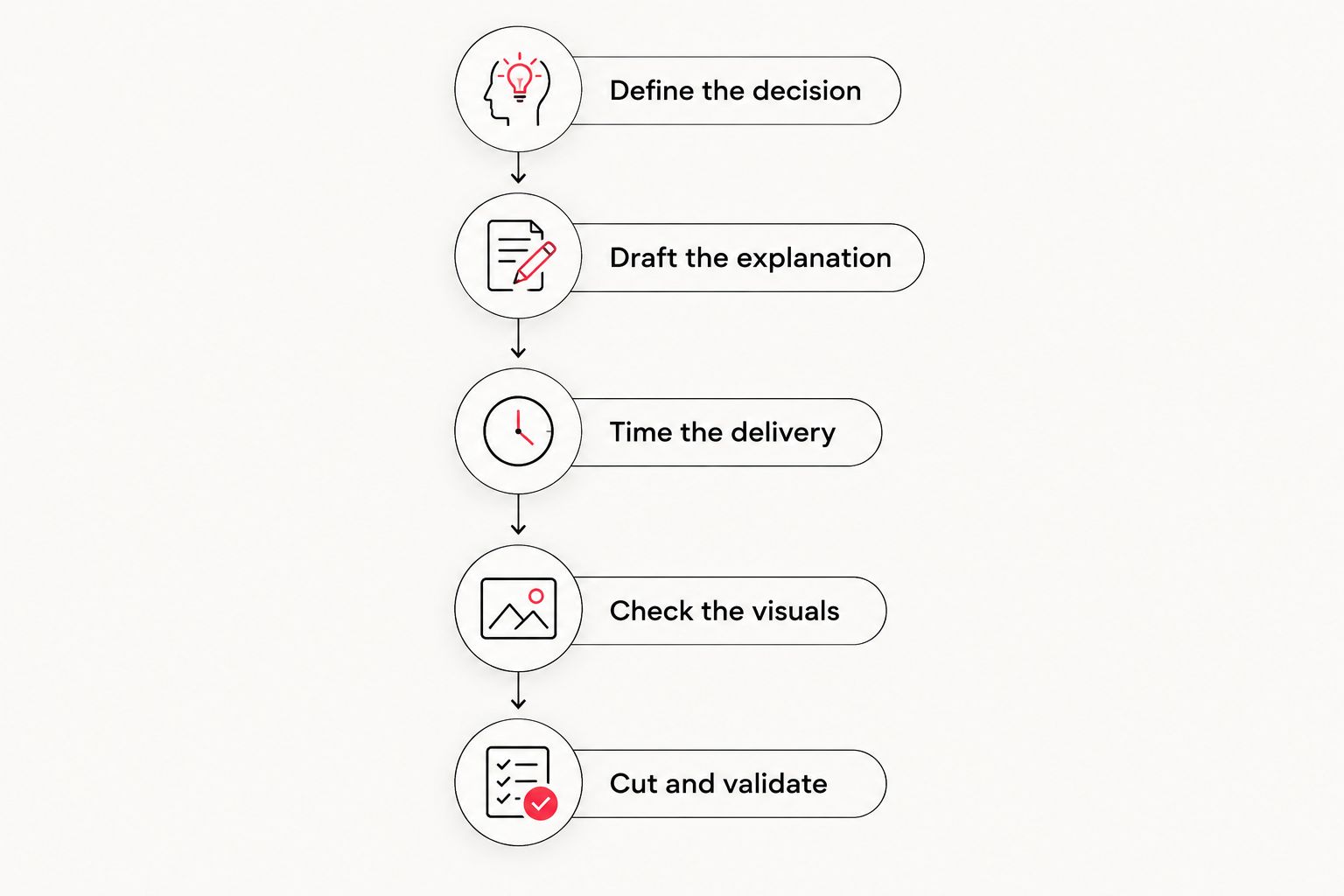
- Define the decision. Write the question the video must answer and the action that follows. Remove objectives that belong to another asset.
- Draft the explanation. Connect the audience's problem to the solution, include necessary evidence, and state the next step.
- Time the delivery. Read the narration aloud at an understandable pace. Include pauses for unfamiliar terms, transitions, and visual information.
- Check the visuals. Identify what the viewer must inspect or read. Give those moments space instead of talking over them automatically.
- Cut and validate. Remove repetition, then ask someone outside the project to explain the message back. Repair gaps before approving the runtime.
A timed read is a planning tool, not a substitute for an edit. Storyboards and rough cuts reveal whether the explanation needs a pause, a clearer visual, or a rewritten sentence. Keep the runtime provisional until those elements work together.
Focused introduction: explain the core offer
Best for: viewers who first need to understand whether your offer is relevant. Start with their business problem, explain the central idea, and connect it to a useful next action.
Keep company history, internal terminology, and secondary capabilities out unless they are necessary to understand that idea. Your team already knows the organization; the viewer needs a reason to continue learning about it.
The advantage is focus. The limitation is depth: an introductory explainer should not carry every implementation detail or procurement question. Put those answers in supporting material rather than compressing them into a rushed closing section.
For a 2026 awareness campaign, approve the central message before requesting alternate edits. Otherwise, each stakeholder can turn the same introduction into a different video.
Process explanation: show how the solution works
Best for: buyers who understand the problem but need to understand the mechanism. Structure the video around a clear sequence or relationship, not a list of capabilities.
Explain the starting condition, the relevant actions, and the resulting change. When the process includes technical language, introduce the term where the viewer needs it and pair it with a useful visual.
Motion graphics can represent relationships or processes that are difficult to film directly. The trade-off is the need to plan those relationships accurately: decorative movement does not replace an explanation.
Keep this version focused on the process the buyer needs to evaluate. If a branch serves a different audience or answers a separate question, consider giving it its own asset.
Demonstration: complete a meaningful task
Best for: buyers who need to see what using the offer involves. Begin with a task the viewer recognizes, show the relevant actions, and finish with the result.
A demonstration earns its runtime through necessary detail. Keep an action when removing it would make the task difficult to understand; remove detours that merely display additional features.
The advantage is specificity. The limitation is that a detailed demonstration asks more attention from viewers who have not yet decided the offer matters to them. Introduce the business relevance before showing the mechanics.
For your 2026 demonstration brief, name the task explicitly. “Explain the platform” leaves scope open; “show how a marketer completes the approval workflow” gives the script and edit a defined destination.
Overview plus follow-up: separate different viewing needs
Best for: marketing teams serving both introductory and evaluation-stage questions. Give the overview a complete message, then use a separate follow-up for the detail that would interrupt it.
Do not make the overview unintelligible without the follow-up. Each asset should answer its own question and provide a relevant next step.
The benefit is scope control. The trade-off is additional planning: openings, narration, graphics, and endings need to suit each deliverable. Simply removing scenes from a detailed edit does not guarantee a coherent introduction.
List those deliverables before production. That lets your team identify shared footage and graphics while preserving the different purpose of each version.
Why explainer video length varies
Use these factors to justify what stays in the script. None establishes a universal runtime by itself.
- Audience knowledge. Explain unfamiliar concepts before relying on them. For an informed audience, remove background that does not help answer the current question.
- Viewing context. Plan around whether someone encounters the video in a feed, chooses it on a website, or receives it during a sales conversation.
- Message complexity. A workflow with dependencies needs a different explanation from a straightforward introduction. Simplify the presentation without removing essential relationships.
- Evidence requirements. Keep the demonstration, example, or approved supporting statement needed to substantiate the message. Remove repeated assertions that add no evidence.
- Visual reading load. Allow time to interpret diagrams, interface details, captions, and unfamiliar terms. Avoid making every element compete for attention.
- Approval requirements. Identify required language and factual review before the script is locked. Late additions change both pacing and scope.
Resolve these factors in the brief rather than debating runtime in isolation. “This section explains the dependency buyers must understand” is a useful reason to keep a scene; “a stakeholder requested it” does not explain its value to the viewer.
How do you keep stakeholder feedback from extending the video?
Give reviewers a shared approval standard. Ask whether the message is accurate, understandable, relevant to the intended audience, and connected to the requested action.
Separate factual corrections from additions to scope. A correction repairs the existing explanation; an additional audience, capability, or use case changes the assignment. Decide explicitly whether that addition belongs here or in another deliverable.
Use the same test during your 2026 review meetings: what would the viewer misunderstand if this sentence disappeared? If the answer is nothing, the sentence needs a stronger reason to remain.
Before filming or animation begins, use the guide to scripting corporate videos to frame the discussion about what needs approval.
Should a corporate explainer be shorter for social media?
A social version should have a scope suited to its placement, rather than inherit the full website script. Establish relevance immediately and keep the explanation focused on the action you want from that audience.
The trade-off is reduced room for context. If removing context makes the message misleading or confusing, rewrite the concept instead of accelerating the narration. Confirm current placement requirements when preparing the deliverables.
Should animation make an explainer shorter?
Animation should clarify the explanation, not impose a shorter runtime. Use a visual to replace narration when the visual communicates the same point clearly; keep narration when the relationship needs explanation.
Review graphics at their intended viewing size. A diagram that requires close inspection needs a different pace from a simple visual transition, regardless of how quickly the animation moves.
How do you know when an explainer is too long?
An explainer is too long for its purpose when sections repeat the message, answer unrelated questions, or continue after the intended explanation is complete. Those are editing signals, not a universal timestamp.
Ask a reviewer to identify the problem, solution, reason to believe, and next action. Then examine where the reviewer became confused or stopped learning something relevant. Use viewing data, when available, alongside that feedback rather than treating completion alone as the verdict.
What should you ask a production partner to deliver?
Request a scope that connects the script, visual approach, intended placements, and approval process. Define the primary version and any alternate deliverables before asking for a fixed runtime.
Wrecking Crew Media is best for marketing teams seeking corporate video production, branded content, and motion graphics. Its service focus fits an explainer brief that needs production and post-production, rather than software selection.
The trade-off of working with a production partner is coordination: your team still needs to supply accurate subject-matter input and consolidate approvals. Name the decision-maker and identify required reviewers before the project starts.
In your 2026 handoff, distinguish required content from optional material. That gives the production team a clear basis for recommending cuts without reopening the business objective.
FAQ
What’s the best length for a corporate explainer video?
The best length is the shortest runtime that explains the intended message clearly and supports the next action. Establish it through a timed script, planned visuals, and a review for comprehension.
Can an explainer video be too short?
An explainer video is too short when it removes information the viewer needs to understand the message. Restore the missing explanation or narrow the scope instead of rushing the delivery.
Should the same explainer run on our website and social channels?
Use the same explainer only when its opening, scope, and next action fit both placements. Otherwise, plan separate versions that answer the different viewing needs.
How do I estimate explainer runtime before production?
Estimate runtime by reading the approved script aloud and allowing space for visual comprehension. Refine that estimate with a storyboard or rough cut before treating it as final.
Does motion graphics animation reduce explainer length?
Motion graphics can replace spoken explanation when a visual communicates the point clearly. Complex diagrams still need viewing time, so animation does not establish a shorter runtime by itself.
Can Wrecking Crew Media help with corporate explainer production?
Wrecking Crew Media provides commercial and corporate video production, branded content, short-form videos, and motion graphics. Marketing teams should define the explainer’s audience, message, and deliverables when discussing the project.
One last thing
Before requesting a shorter edit, ask what you are willing to stop explaining. That question separates a genuine editorial cut from a request to deliver the same information faster.
Cut repeated meaning before cutting breathing room. Your viewer needs a complete explanation, not every sentence your organization wants to include.